

One customer calls to check an order status, another to discuss the terms of a large deal. And sometimes it’s the company that calls, with a reminder about a sale or a quick survey.
Businesses don’t always account for how different these tasks are. They put operators on calls that technology could handle, or switch on IVR where the customer expects to talk to a manager right away.
In this article, we compare auto-dialing, IVR, a contact center, and a voice AI agent across seven typical situations, using examples from Ringostat customers, so you can decide what fits your business.
How auto-dialing, IVR, a contact center, and a voice AI agent differ
The main difference is whether the customer can ask their own question and get an answer that isn’t in a pre-recorded script.
Auto-dialing. The system calls numbers from a list and plays a recorded message. The person listens and, if needed, presses a key to accept or decline the offer.
IVR, or a voice menu. IVR routes incoming calls, but it doesn’t answer questions. When you call a company with IVR, you hear a recorded greeting and a prompt to press a number to reach the right department. In another setup, you press a key and wait in line for an operator.
Contact center. A company can run its own contact center or use an outsourced one, and either way operators or managers answer the calls. They mostly follow scripts, but they can handle an unusual question too. The limit is how many conversations can happen at once: never more than the number of people on shift.
Voice AI agent. It’s a program that holds a live voice conversation with the customer. It runs on a language model, the same technology behind ChatGPT, Claude, and other AI assistants. The agent understands the customer’s questions and answers, asks follow-up questions, and gives advice based on the company’s knowledge base: product descriptions, prices, delivery rules. Complex issues, like closing a non-standard deal, go to a manager along with a summary of the conversation.
One call, four outcomes
Let’s take a hypothetical example. What does a customer get when their call reaches IVR, a voice agent, a contact center rep, or auto-dialing?
Monday, 10:15. Stacy’s washing machine stopped mid-cycle, and there’s water standing in the drum. She calls a repair service. At that same minute, dozens of other people are calling too: appliances break down for a lot of people over the weekend, and repair services are often closed on Saturdays and Sundays.
IVR: a queue, and no idea how long the wait is
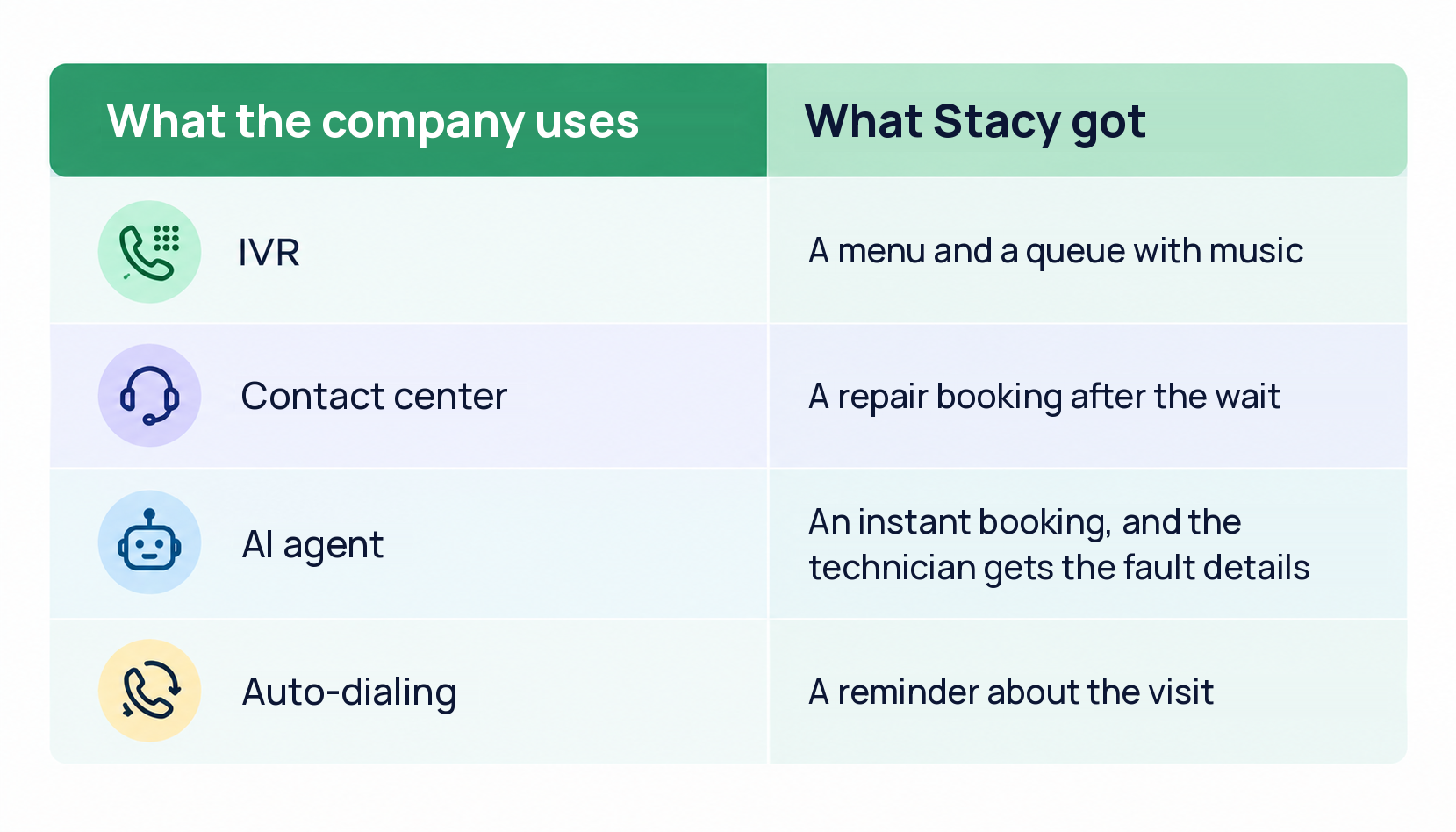
Stacy hears: “To book a repair, press 1.” She presses it, but all managers are busy. Music plays, and every minute a voice repeats: “Your call is important to us.” Stacy has no idea how much longer she’ll have to wait.
A few minutes later, she hangs up and looks for another repair service. The company has lost her before the conversation even started.
A properly set up queue solves part of the problem. Stacy would still wait until someone is free to help her. But businesses that use Ringostat Virtual PBX can tell callers their place in line and the estimated wait time.
Contact center: an answer after the wait
In this scenario, Stacy decides to wait. The operator picks up as soon as they finish the previous call, notes the washing machine model, and offers a time for the technician’s visit.
Stacy is booked, but only after several minutes on hold. Meanwhile, operators are overloaded at peak hours, and for the rest of the day they have stretches with no customers to serve while still getting paid.
AI agent: a conversation with no queue
A voice agent answers in about two seconds, even when dozens of people call at once. A conversation with it might look like this:
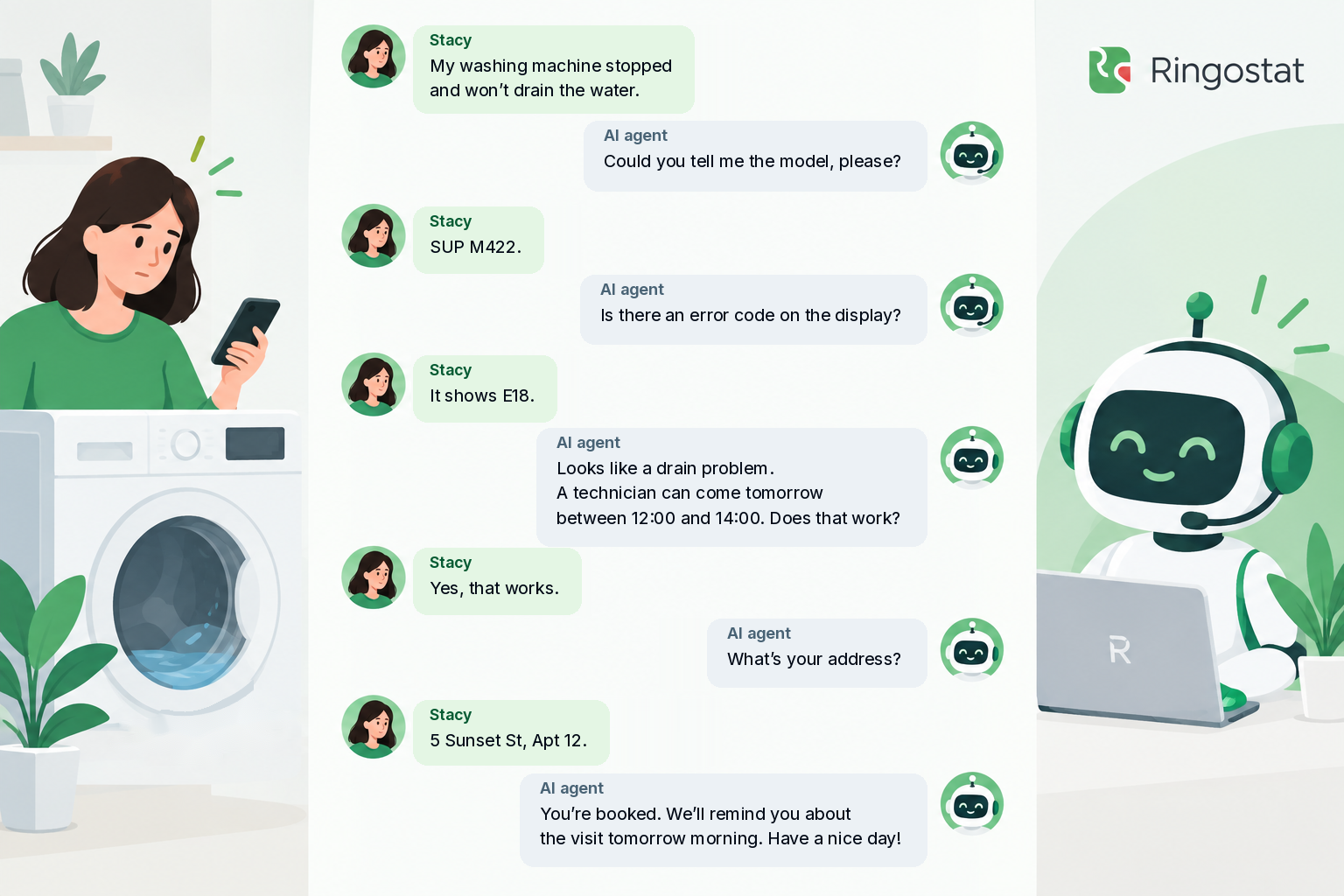
Stacy booked a visit in a few minutes, without waiting. The request, with the model, the error code, and the visit time, is already in the CRM, the system where the company keeps its customer records. The technician knows in advance which parts to bring and how long the repair will take.
If Stacy had said water was leaking onto the floor, an agent set up for such cases would have offered right away to put her through to a manager.
Auto-dialing: a reminder before the visit
Auto-dialing doesn’t handle incoming calls, since it’s the one doing the calling. But in our scenario, it’s useful for a reminder. The morning after her call, Stacy hears: “The technician will arrive today between 12:00 and 14:00. To confirm the visit, press 1.”
One key press, and the technician knows the order is confirmed.
What to choose for each type of call
Let’s look at seven typical situations where a business talks to customers by phone. For each one, you’ll find an example from a Ringostat customer and the numbers that show the result.
Order status updates → auto-dialing
Your customer only needs to hear a short update: the order is ready, the parcel has arrived for collection, the visit is scheduled for tomorrow at 10:00. There’s no need for a dialogue, so auto-dialing is enough.
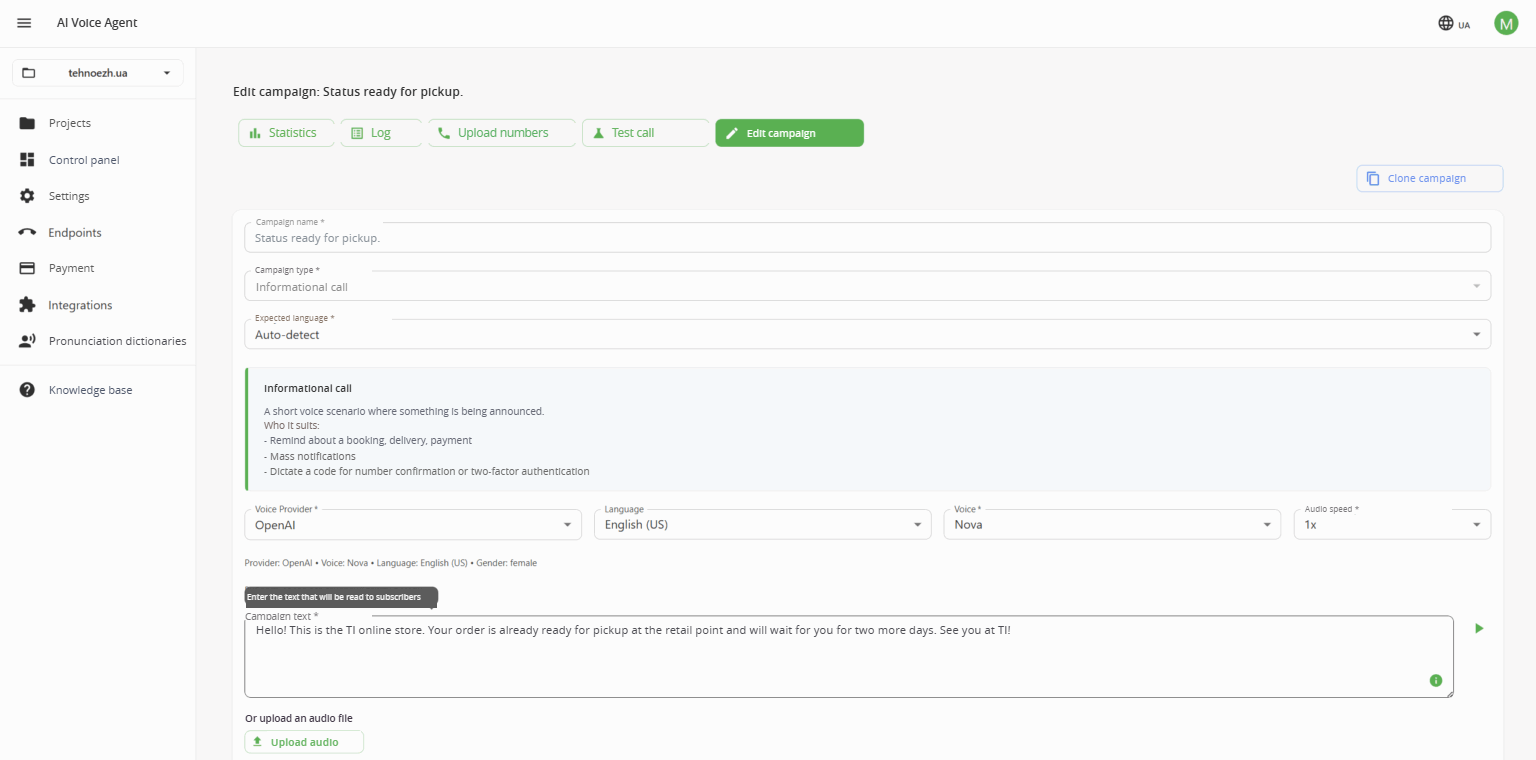
Ringostat AI Voice Agent has a separate campaign type for these calls: RoboCall, auto-dialing without AI.
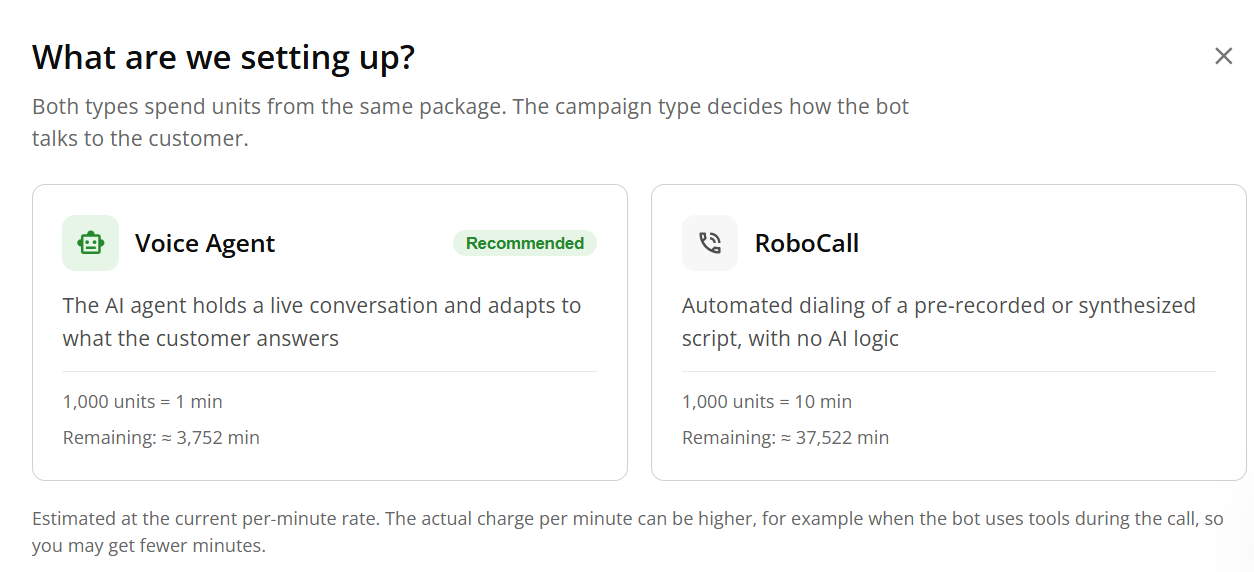
The electronics retail chain TI handed some of its routine calls over to a RoboCall campaign in AI Voice Agent. In May 2026, auto-dialing made 5,800 calls. At two minutes of a manager’s time per call, that saved the team 193 hours.
Surveys and feedback → auto-dialing
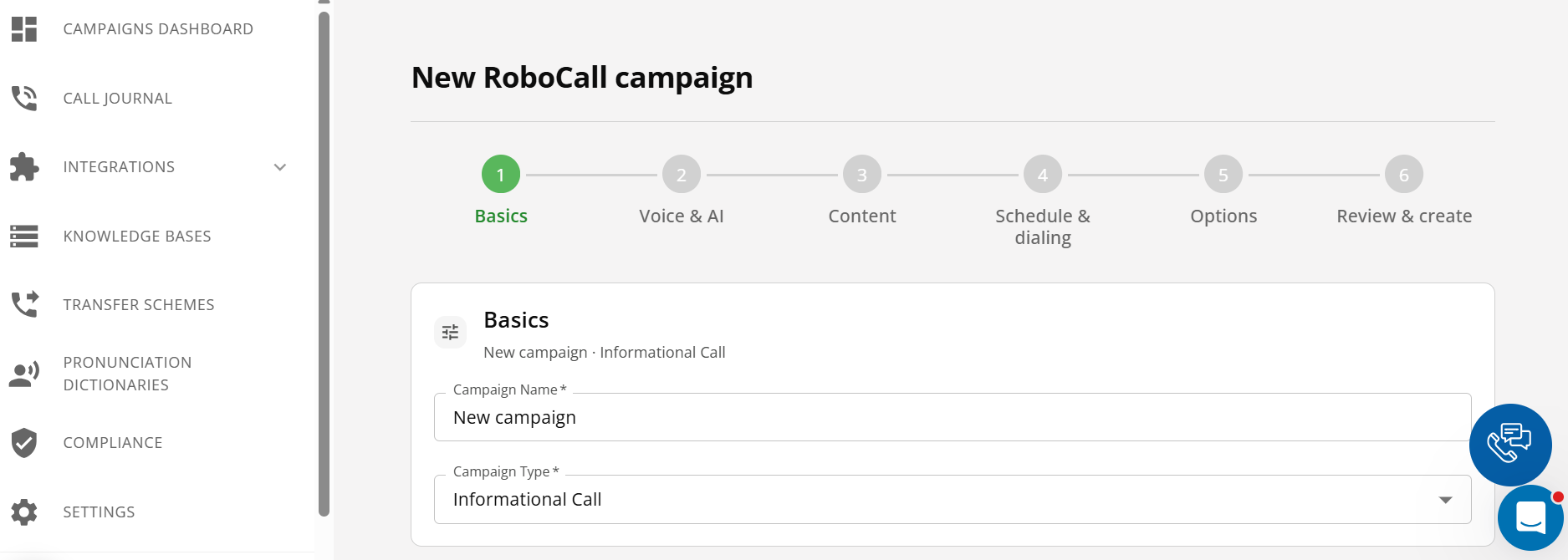
For a short survey, you only need a recorded greeting and a line like “If you were happy with the delivery, press 1.” The customer answers with a single key press. That’s how a business collects ratings, votes, and NPS — a score showing how willing customers are to recommend the brand to people they know. In AI Voice Agent, you run these surveys as RoboCall campaigns too.
Payment reminders → AI agent
A buyer who hasn’t paid for an order often has small questions, like when the delivery will arrive or where to find the payment link. A pre-recorded reminder can’t answer them, but a voice agent can.
One of Ringostat’s customers, an online store, set up a voice agent for its own needs. AI Voice Agent calls buyers right after an unpaid order is placed. It reminds them about the payment link in Viber and answers their questions, for example about delivery times. Out of 10,512 calls, 7,686, or 73.1%, ended with the customer confirming they intended to pay.
First line → IVR or AI agent
The first line is your first conversation with a customer, where you need to understand what they’re after. Which tool to pick depends on what the customer expects and how much waiting matters to them.
If your business is highly specialized and customers don’t usually start looking for alternatives the moment they hear all managers are busy, set up IVR. OptiFeed, a Polish company that sells horse feed, routes calls through a voice menu with five options: information, online orders, wholesale orders, consultation, and accounting. Every request goes straight to the right employee, which saves the team 30 minutes to an hour every day.
If your customers need advice and your niche is highly competitive, consider an AI agent. A B2B company in the technical equipment sector handed its entire inbound line to the agent. AI Voice Agent identifies what each call is about, resolves simple questions on its own, and passes complex ones to managers. In less than a month, it handled over 98% of inbound calls, and each request cost the company 10–15 cents.
An AI agent also helps businesses with seasonal peaks answer customers’ standard questions. Hiring new managers for high season looks like the obvious fix, but in reality it means months of recruiting and training. And specialists keep getting more expensive. According to Work.ua, in September 2026 the median salary in call center operator job postings was UAH 40,000. That’s 60% more than a year earlier.
Here’s how VODALAND dealt with seasonal peaks. The company’s range includes over 4,000 items, and it gets calls from retail buyers, dealers, and developers alike. VODALAND compared offers from outsourced contact centers with an AI assistant built on AI Voice Agent. By the company’s own calculations, the assistant turned out to be about seven times cheaper.

Evening and weekend calls → AI agent
After hours, IVR with voicemail can only offer to take a message, and many customers don’t want to leave one. Yet a missed call often means a lost customer. Statistics show that 85% of customers who can’t get through won’t try again and simply go to competitors.
An AI agent answers at any time, finds out what the customer needs, prepares a request, and creates a task for a manager to call the customer back during business hours. Digital agency Netpeak assigned it calls from 18:00 to 09:00 and on weekends. It asks about the project topic, the target region, the budget, and the decision timeline. It turns 89% of inquiries into a complete request.
Reviving a dormant database → AI agent
A dormant database is made up of former customers and people who showed interest in a product or service but didn’t buy. It can sit in the CRM for years because the team doesn’t have the resources to dial every number by hand. An AI agent can help here: it talks to every contact and passes only the interested ones to managers.
A foreign language school used AI Voice Agent to qualify its database and filter out irrelevant contacts. The agent made over 30,000 calls. It passed managers over 8,900 conversations, or 29.8%, in which the customer confirmed interest. So managers only spoke with warm leads.
Complex deals and negotiations → manager
Long deals, negotiations, or complex product selection need the experience and skills of a live manager. Automation helps the customer wait less and frees the specialist from routine communication, but it doesn’t replace a person 100%.
We showed how the two work together during a Ringostat webinar. Someone called the agent live on air, posing as a store owner. In a few minutes, AI Voice Agent found out which CRM the company uses, how many managers it has, and who makes the decisions, then scheduled a call with a specialist. From there, a manager takes over the deal and already has the context of the request before talking to the customer.
Checklist: what do you actually need?
Pick the statements that apply to your business:
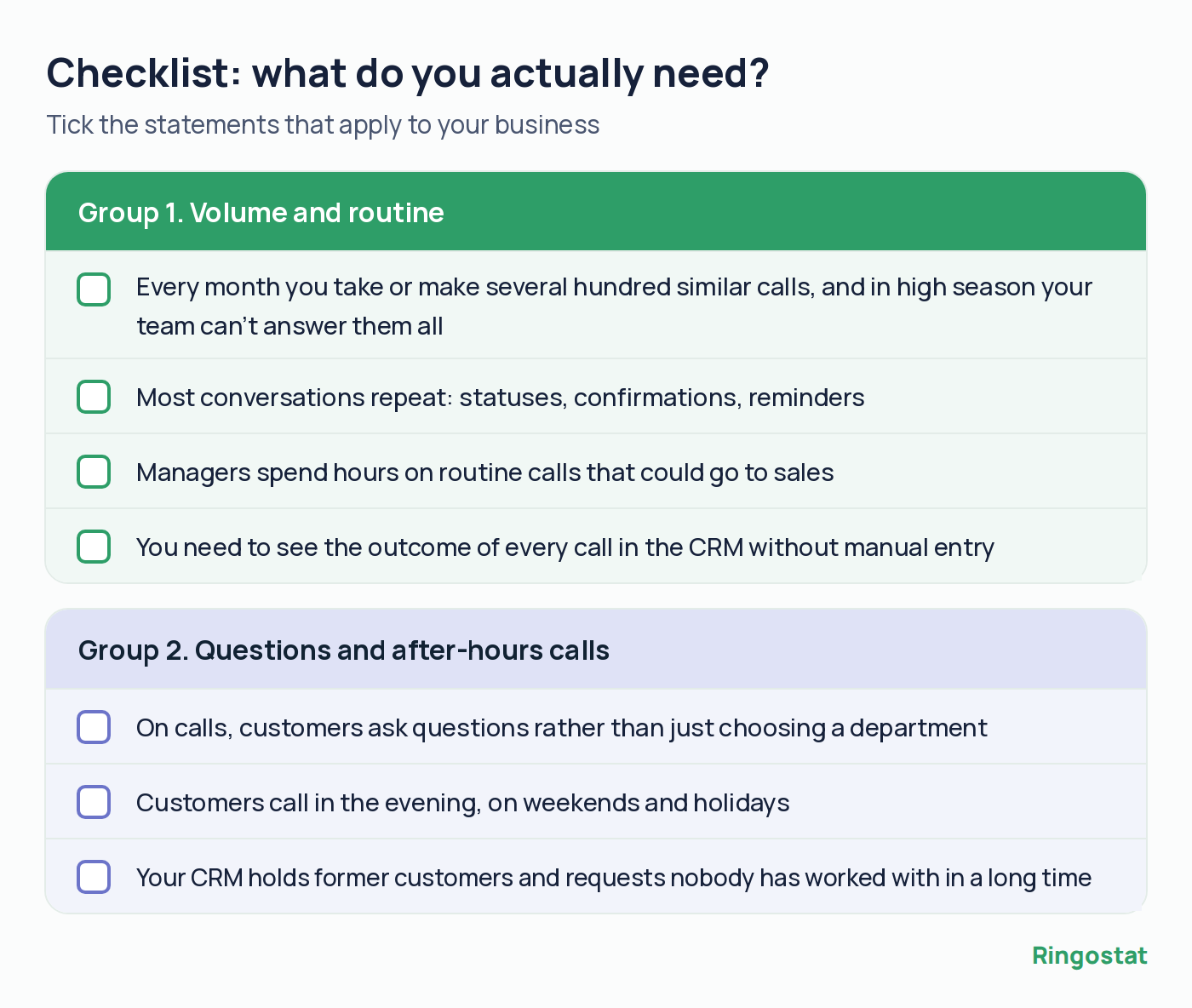
What your result means:
- none — you don’t need automation yet, so come back to this list when your call volume grows;
- only the first group — a voice menu and auto-dialing will do;
- only the second group — try a voice AI agent, starting with the one scenario where you get the most calls;
- both groups — combine them: the agent handles conversations, auto-dialing sends updates and reminders, and the manager takes on complex terms.
What to consider before launching a voice AI agent
Gartner predicts that by 2029 AI agents will resolve 80% of common customer service issues without human involvement, and operational costs will drop by 30%. Businesses are already heading that way. According to Salesforce, 66% of customer service teams use AI agents in 2026, up from 39% a year earlier. And 70% of companies that adopted them see measurable results within the first 60 days.
Like almost any new tool, a voice agent needs setup and testing before launch. Here are five rules we at Ringostat recommend to businesses that are just getting started with AI Voice Agent:
- Write the knowledge base in plain text. Instructions set the flow of the agent’s conversation with the customer, and the knowledge base supplies the content of its answers. Add product descriptions, prices, payment and delivery terms, and answers to frequent questions. The agent reads tables and screenshots less well, so describe them in words.
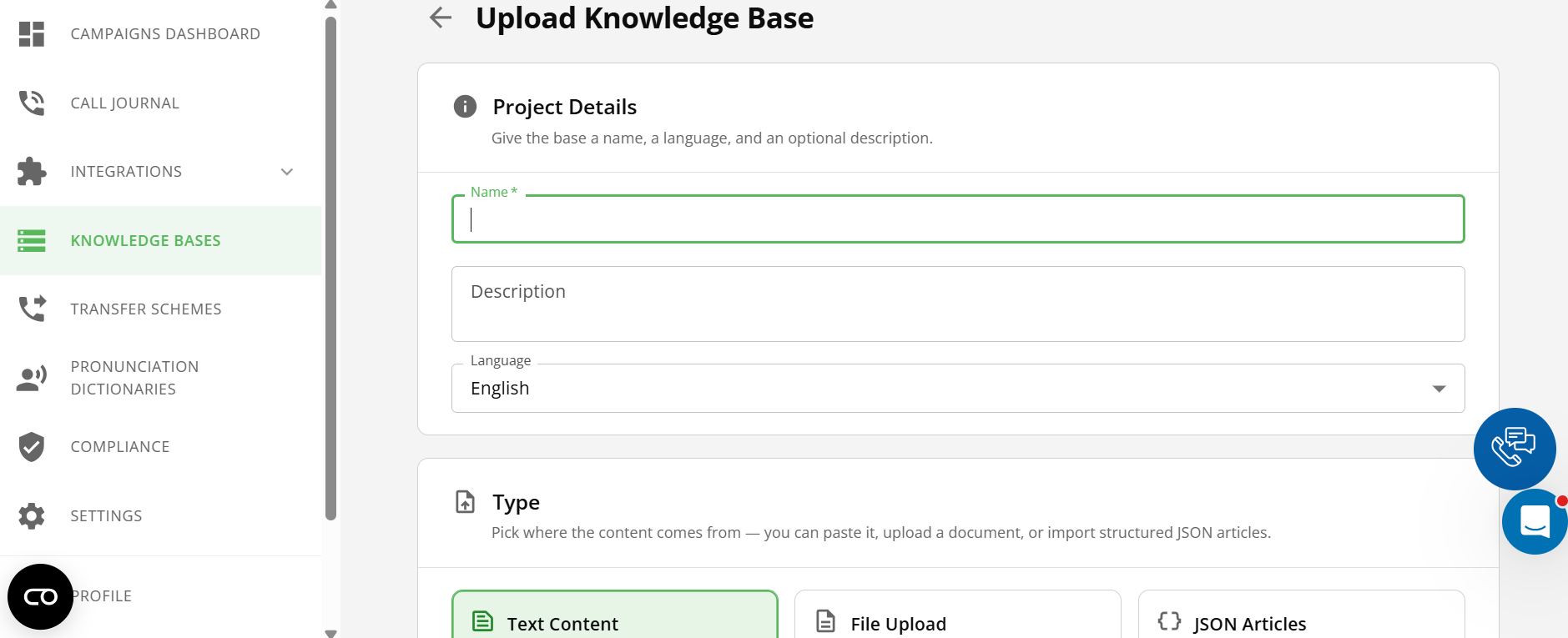
- Don’t let the agent make things up. When data is missing, a language model tends to fill in the gaps. State clearly in the instructions that the agent must not name prices, timelines, or products that aren’t in the knowledge base. Separately, list the situations where the conversation should go to a manager.
- Give customers the option to talk to a person. In a 2026 Gartner survey, 87% of customers said this option is a must if a company serves them with AI. With AI Voice Agent, the outcome of every call goes to your CRM automatically. The manager picks up the conversation without asking the same questions again, and the customer is happier with the service.
- Let customers know they’re talking to a voice agent. VODALAND’s assistant Eva introduces herself as a virtual assistant right away. Some customers ask to be connected to a person, while others talk to her as they would to a manager. And those who hesitated get used to it once they see the agent understands the context.

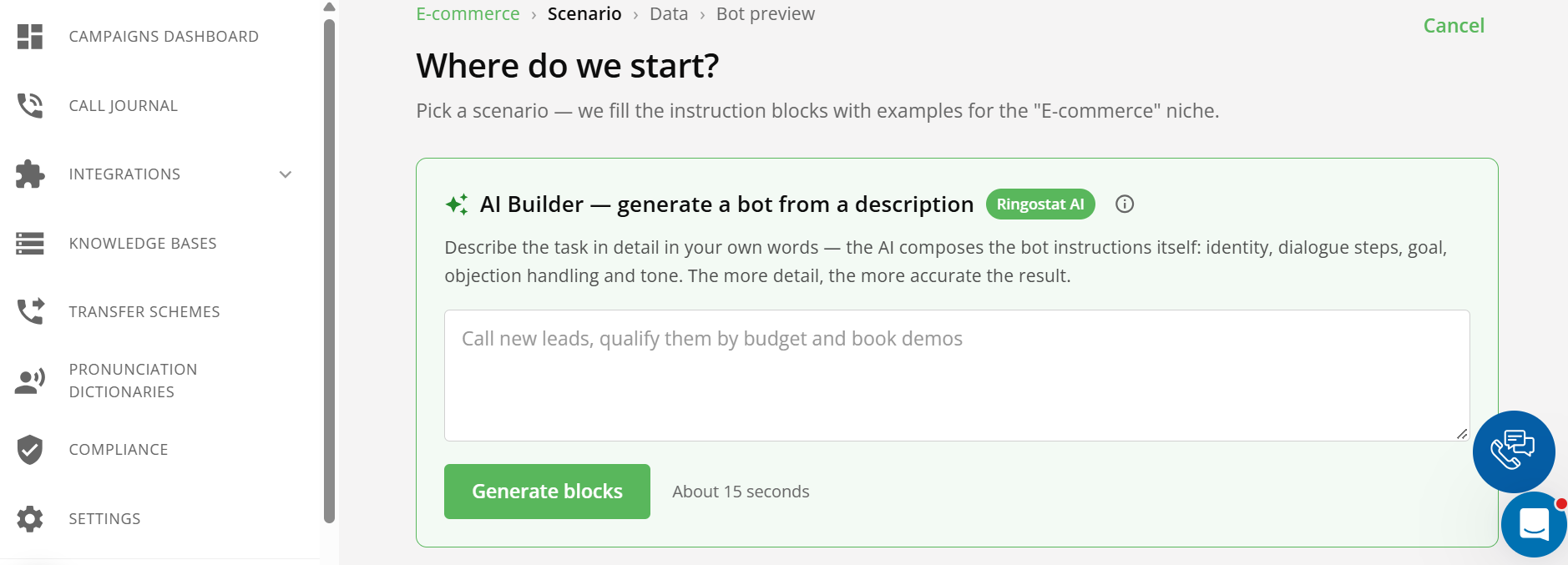
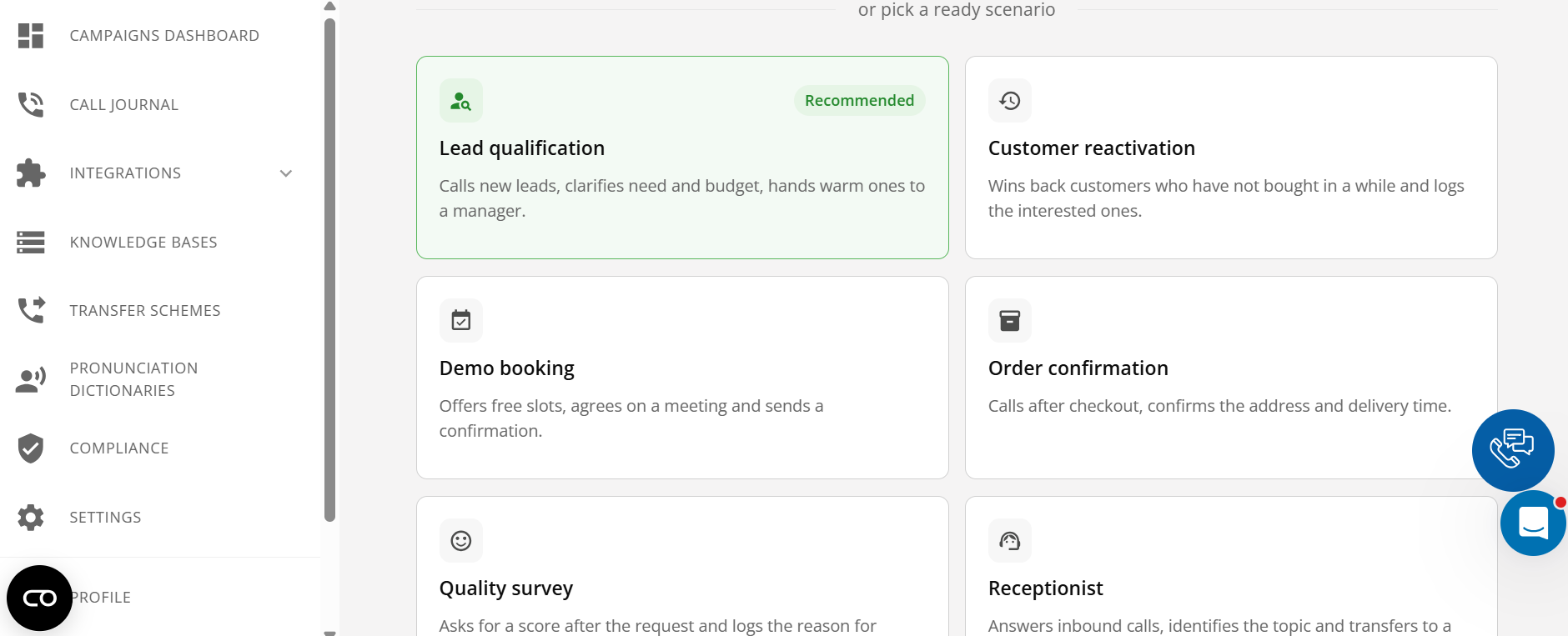
- Start with a ready-made scenario and test it. The AI Voice Agent dashboard has industry presets, which are ready-made scenario templates you can start with. Another option is to describe the task in your own words in AI Builder and add a link to your website. In one to three minutes, the system writes the instructions, and you should review them before launch. Then make test calls and allow time for a few iterations.
Connecting AI Voice Agent takes one to three days. The Ringostat team helps you configure it, and you can also order a turnkey setup.
Conclusion
Each type of call needs its own tool:
- auto-dialing — for updates, confirmations, and short surveys;
- IVR — to route incoming calls between departments;
- managers and contact center operators — for complex deals and negotiations;
- a voice AI agent — for conversations where customers ask recurring questions, for payment reminders, evening calls, and working with a dormant database.
The easiest first step is to count how many routine and missed calls you get a month and use that to choose the tool that suits you.
